A maintenance window is a planned period for work that may affect a service. It helps the team coordinate expected disruption, adjust notifications deliberately and tell customers what to expect.
The challenge is to reduce avoidable alert noise while preserving enough evidence to detect an unexpected failure. Planned work can still go wrong, and a calendar entry does not make every interruption during that period harmless.
A useful maintenance plan defines the scope, owner, timing, monitoring behavior and recovery checks before work begins. It also explains what happens if the work runs longer than expected.
Define exactly what is changing
Describe the service, environment and activity. A database migration, certificate rotation and operating-system update have different dependencies and verification needs.
List what users might observe: a read-only period, delayed background jobs, a brief connection interruption or complete unavailability. Avoid using the generic phrase “possible impact” when the team can provide a more useful description.
Identify systems that should remain unaffected. If a maintenance change concerns the reporting service, a checkout failure should not automatically be treated as expected. Clear boundaries help the team notice unrelated incidents.
Assign an owner with authority to coordinate the work and a backup route for assistance. Small teams can keep this simple, but responsibility should still be explicit.
Separate the maintenance notice from alert behavior
A public maintenance announcement communicates expected impact. A monitoring maintenance setting may change notifications, incident state, reporting or check execution. Those are different functions.
Read your tool’s behavior before using it. Some systems continue collecting checks while suppressing selected notifications; others may pause checks or exclude a period from particular reports. Do not assume every platform uses “maintenance” in the same way.
In Upty, the status-page guide describes publishing one-time or recurring planned work. Use the alert guide to review notification controls separately, and verify what your actual configuration does.
The plan should state which evidence remains available and how unexpected failures will still reach the team.
Keep observation running where it remains useful
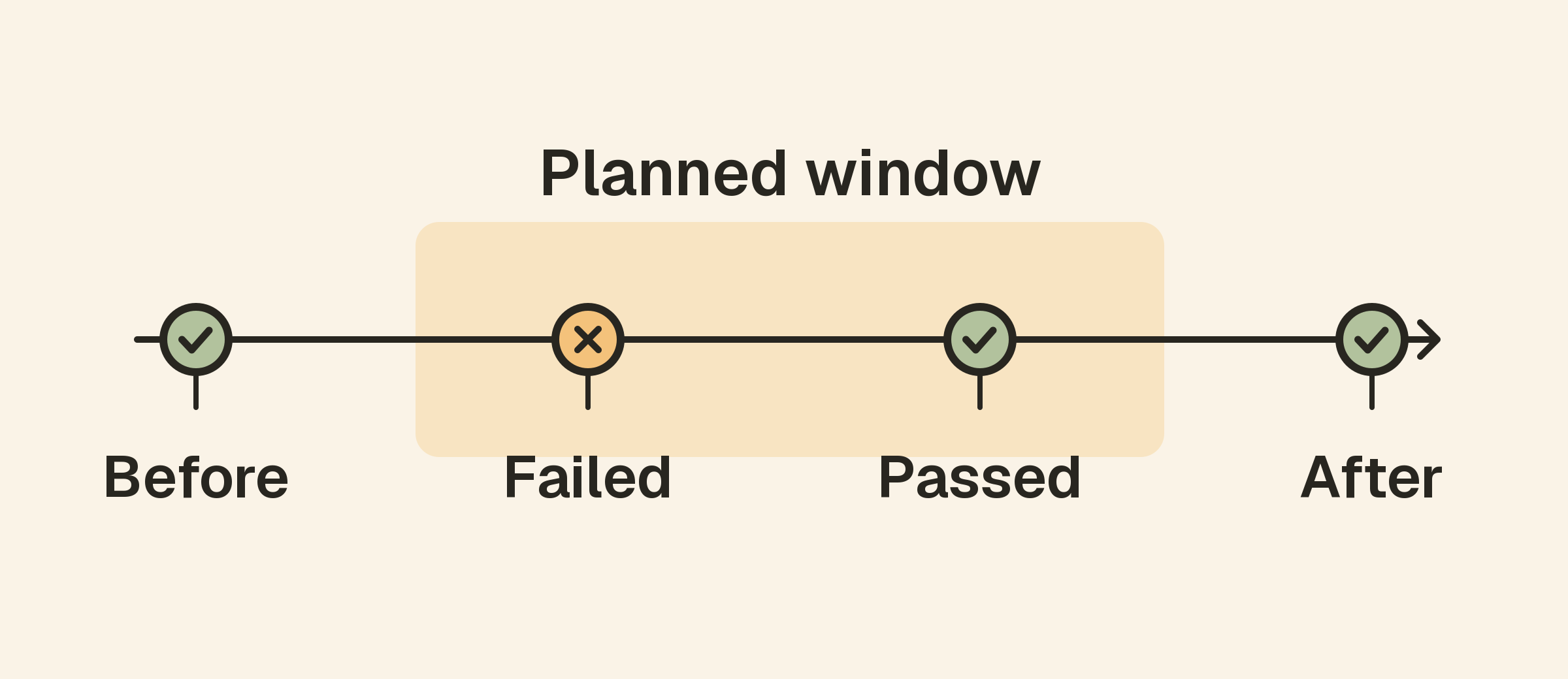
An external website check can show when the service stops meeting its ordinary rules and when it recovers. API checks can verify a more specific workflow after the change.
Where supported, preserving these observations during maintenance helps reconstruct the actual interruption rather than rely only on the planned window. Internal host metrics and application logs can provide context for the work and any regression.
Choose exceptions deliberately. An intentionally stopped service may produce expected failures, but another service sharing the same infrastructure may need active urgent monitoring throughout the work.
If your tool pauses a check, document that visibility gap. Use another appropriate observation path when continued coverage is necessary.
Bound notification changes in time and scope
Suppress only the notifications justified by the work, and give the suppression an explicit end. An open-ended mute can outlive the maintenance activity and conceal the next real incident.
Review all destinations and escalation routes. Silencing one channel may leave others generating noise; muting an entire account may hide unrelated services. Confirm the actual scope before the window starts.
Do not use quiet hours as an unexplained substitute for a maintenance plan. Holding ordinary notifications does not describe the work, identify expected impact or establish a recovery test.
Keep a route for unexpected conditions. The maintenance owner should know how to get help if the observed impact exceeds the plan or if a critical unrelated service fails.
Choose a realistic window and use an explicit timezone
Allow time for preparation, execution, verification and a recovery decision. A window that covers only the fastest expected execution path gives the team little room to respond to a problem.
Write the timezone clearly in customer notices and internal coordination. If participants work in different regions, make the shared reference unambiguous and verify calendar conversions before the work.
For recurring windows, review whether the recurrence still matches the activity. Repeating an old notice indefinitely can confuse customers and leave unnecessary notification changes in place.
Define who approves an extension and how it will be communicated. Extending a window should be a conscious decision based on observed progress, not a way to keep unexpected failures out of reports.
Prepare verification and rollback before starting
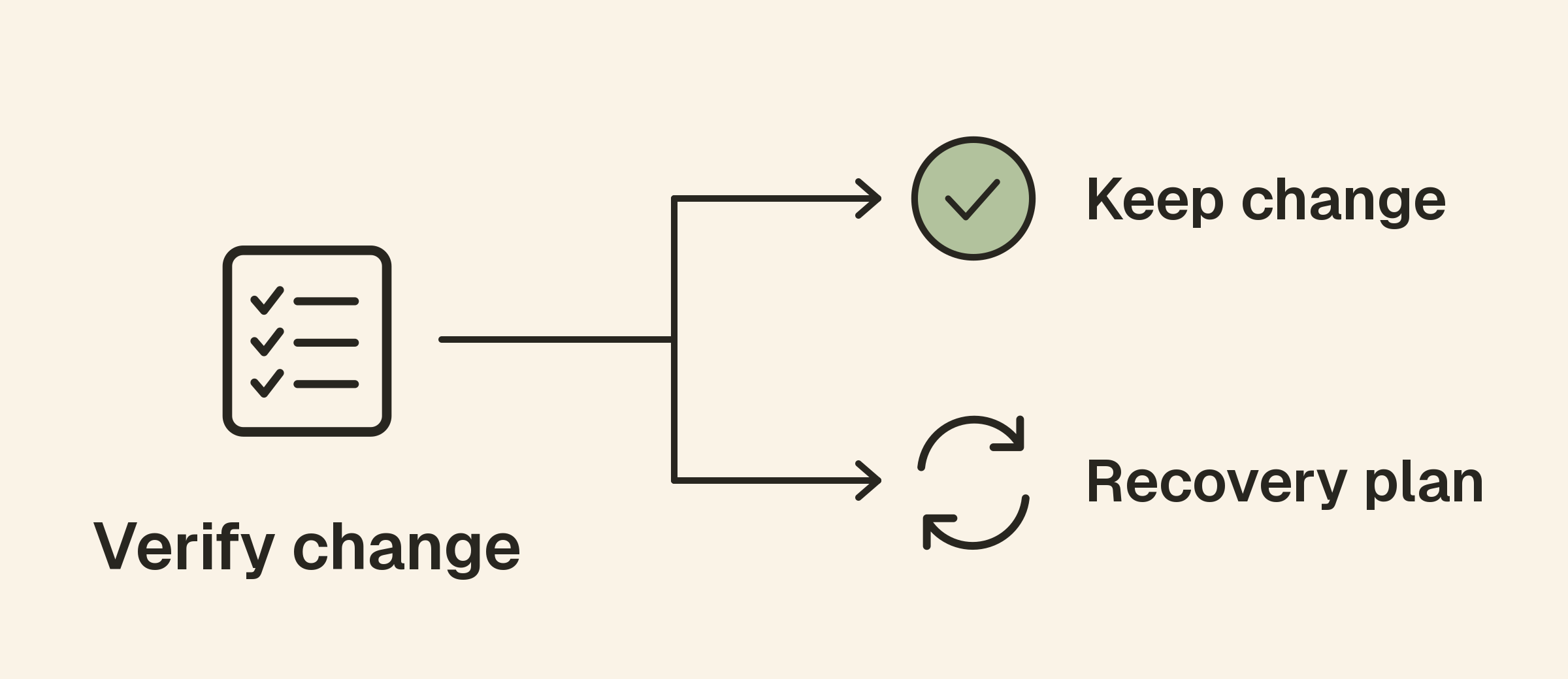
Write the checks that will establish success. For a website deployment, this might include a correct public response, a representative API request and a critical browser workflow.
For a certificate change, verify the certificate presented by the live endpoint rather than only the file stored on a server. For a DNS change, compare relevant answers and test the destination service, allowing for the caching behavior involved.
Use SSL monitoring and DNS checks where they match the change. The certificate monitoring article explains why issuance and deployment are separate parts of verification.
Document a rollback or recovery path and the conditions for using it. Not every change can be reversed safely, so use the procedure appropriate to the system rather than assume a restart or rollback always works.
Communicate useful progress to customers
A maintenance notice should name the affected services, timing, expected impact and any verified preparation customers need to perform. Link to a status page that remains accessible during the work.
An illustrative notice might say:
We will perform scheduled maintenance on the reporting service from 01:00 to 02:00 UTC. New report generation may be delayed during that period. Existing reports are expected to remain available. We will update this page when verification is complete.
Use statements like these only when the plan and evidence support them. If the expected scope changes, update the notice. Keep internal hypotheses and private infrastructure information out of customer-facing messages.
Monitor the work as it happens
Record the actual start time, significant actions and any deviations from the plan. Compare observations with the expected impact rather than dismiss every alert as maintenance noise.
If an unaffected service fails, investigate it as a separate condition. If the planned service degrades more severely than expected, reassess the change and the recovery path.
Avoid making several speculative corrections at once. A clear timeline and limited, understood actions make troubleshooting and later review more reliable.
Keep the maintenance owner reachable until verification is complete, including the period when notification settings are restored.
Close the window with evidence
Confirm the affected public workflows, review relevant metrics and check for queued or delayed work. A healthy homepage alone may not prove that background processing has resumed.
For scheduled tasks, a completion heartbeat can add useful evidence. The cron and backup guide explains how to distinguish a process starting from a job finishing successfully.
Restore or confirm normal notification behavior and remove temporary exceptions. Publish a completion update only after the service meets the agreed recovery criteria.
If work remains unresolved, describe the remaining impact and next update time rather than mark the activity complete simply because the scheduled end has passed.
A maintenance-window checklist
- Define the change, affected services and expected impact.
- Assign an owner and a route for unexpected incidents.
- Specify start, end and timezone.
- Understand how maintenance affects checks and reports.
- Bound notification changes to the necessary scope.
- Prepare verification and recovery procedures.
- Record progress and communicate scope changes.
- Verify service behavior and normal alerting before closure.
Frequently asked questions
Should monitoring be disabled during maintenance?
Not by default. Preserve useful observations where possible and adjust only the behavior justified by the plan. Understand any visibility gaps your tooling introduces.
Should planned downtime count in uptime reports?
Use a documented reporting definition and any applicable service commitments. Be transparent about exclusions rather than changing the interpretation after an incident.
What if maintenance takes longer than planned?
Reassess the impact, communicate the extension and decide whether to continue or use the recovery path. Keep ownership and monitoring coverage active until the outcome is verified.